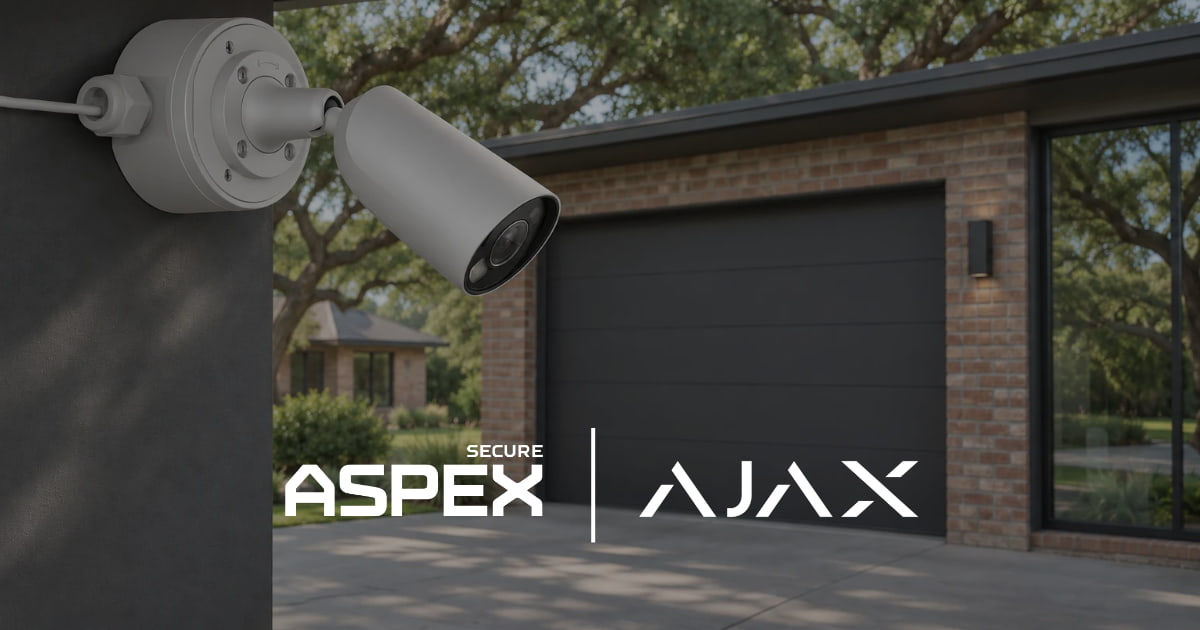
A PoE security camera uses Power over Ethernet to receive power and send video through one Ethernet cable. If you already have an Ethernet jack near your garage, the deciding detail is at the other end of the cable. A PoE port at that end can power the camera, so you can mount it without a nearby outlet.
What Equipment Does a PoE Camera Need?
- A camera that supports PoE. Our driveway example uses the Ajax BulletCam (5 MP, 2.8 mm) with infrared illumination.
- An Ethernet run from the camera location back to your network.
- One source of PoE power for that run. Use a powered switch port, an injector connected to a data-only port, or a recorder with built-in PoE outputs.
- Storage for playback. For this BulletCam, choose a supported microSD card in the camera or a network video recorder with a hard drive installed.
Where Does the Other End of the Ethernet Cable Go?
Suppose you want the camera to overlook your driveway. A short cable can connect it to a garage wall jack. Behind that jack, a cable runs through the house, often back to a wiring cabinet. Look for the matching garage label there. If the cable ends at a numbered panel, follow the short patch cord from that number to the switch or router. An empty socket on the panel means that connection still needs to be made.
Once you find the port, write down its number and the device’s model. On some switches, only certain ports supply power. The model tells you which specifications to look up. The port number tells you whether they apply to the garage line. If the cabling is unlabeled, have the installer identify and test the run before you count it as usable.
Still deciding whether to run a cable at all? Our guide to Wi-Fi and Ethernet camera connections covers that choice.
Can You Use the Router or Switch You Already Own?
Your router can keep handling network traffic while another device powers the camera. Use the equipment at the far end of the cable to choose the next step.
An injector is useful when you already have a data connection and need to power the camera on that one run. Its data input connects to your network. Its powered output feeds the cable to the camera. A PoE switch makes sense when you want multiple powered runs to meet in the same cabinet.
Ajax rates this BulletCam at 12 W average consumption and specifies PoE Class 3. If your switch allocates power by class, budget 15.4 W at the switch port for this camera.
If you reuse a switch, check both power limits. The per-port rating tells you what one port can supply. The total budget is shared across powered devices, including equipment already on the switch. A spare socket is a starting point. The available power determines whether it can support your camera.
Where Do Ajax Security Cameras Save Footage?
For the BulletCam in our driveway example, you have two local recording options. A 32–256 GB microSD card rated V30 or faster holds footage in the camera itself. The card is sold separately. This is a practical choice if you want an archive for that view and are comfortable keeping the recording media at the camera. Include the card in the equipment list and have recording configured before handoff.
A network video recorder (NVR) keeps the archive in a separate place, such as an indoor equipment cabinet. The Ajax NVR (8-channel) receives video over the local network and records to a SATA hard drive, sold separately. With this model, the switch or injector still supplies camera power. The recorder’s channel count tells you how many cameras it supports for recording.
If you want the recorder to supply camera power too, the Ajax NVR H2D8PAC (8-ch) has eight powered camera ports, rated up to 25 W each with a shared 160 W budget. With a drive installed, it can record and power up to eight cameras within those limits. Ask ASPEX about this version when requesting a quote.
Decide how far back you might need to look. A delivery you check the same afternoon and driveway damage you discover after a vacation call for different archive lengths. Use our guide to security camera footage retention to plan the storage.
What Should You Confirm Before You Buy?
Ask the installer to identify the camera model, the port or injector that will power it, and the card or drive included for recording. At handoff, walk through the driveway view, note the time, and ask to play back that moment from the archive. You’ll see what the camera captured and learn how to find a clip when you need one.
Already have a cable or network switch? Request a quote and enter the switch model and garage port number in the message field. ASPEX Secure, an Ajax Systems Authorized Partner, can review what you can reuse and help you plan professional camera installation.