AI video surveillance uses cameras that recognize what moved in front of them, not just that something moved. Ajax AI cameras sort activity into people, pets, and vehicles, mark each one on the recording timeline, and let you filter the archive by type, so you go straight to the moment you need instead of scrolling through hours of video.
It's 11:40 p.m. and your phone buzzes: motion at the driveway. Last week it was a raccoon, twice. Tonight you can't tell, so you open the app and start scrolling through dark footage. With AI recognition, the event already tells you what the camera saw, and the timeline shows you exactly where to look.
What Does an Ajax AI Camera Recognize?
An Ajax AI camera tells you whether a person, a pet, or a vehicle set it off. Ordinary motion detection only reports that the image changed. To it, a swaying branch, a sweep of headlights, and a person at your gate all look the same.
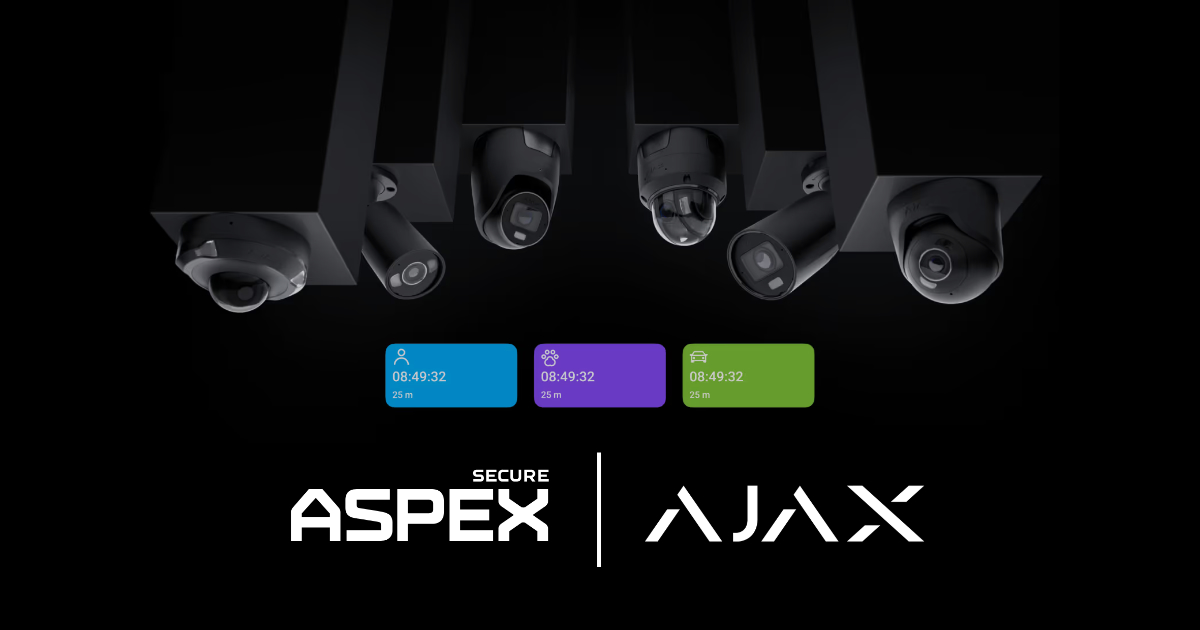
The recognition runs on the camera itself. Ajax BulletCam, Ajax TurretCam, and DomeCam Mini, along with their HL (Hybrid Light) versions, all recognize people, pets, and vehicles.
Back to the driveway. The camera labels the 11:40 event as a vehicle, so you know a car pulled in. You watch the clip to see whose car it was and what happened next. AI tells you what kind of object it saw, not who was there.
See the full Ajax camera range.
How Do You Find the Right Moment in Your Recordings?
You find it in three moves: spot the color labels on the timeline, filter the archive for the category you need, then watch the clip around the event.
Picture a business owner who learns that a pallet went missing from the delivery area sometime Saturday afternoon. Four hours of footage from the rear camera are waiting in the archive.
Spot recognized events on the timeline
Ajax marks AI-recognized objects with color labels along the archive timeline. Instead of four hours of identical-looking video, the owner sees where people, pets, and vehicles actually appeared. Quiet stretches look quiet. Busy moments stand out.
Filter for the category you need
The owner filters for vehicles. Saturday afternoon shrinks to the few times a vehicle entered the camera's view. No scrolling past employees on a break, a stray cat, or wind moving a tarp.
Watch what happened around the event
The owner opens each vehicle event. At 2:17 p.m., a van backs up to the dock, someone loads a pallet, and the van drives off. That is the moment worth a closer look.
The same approach works at home. Filter for people to see who came to the front door while you were away, or for pets to find out when the dog slipped out of the yard.
The filters can only search what was recorded. Ajax cameras can start recording when AI recognizes a person, pet, or vehicle, which keeps the archive focused on events that matter. Our guide to how long security cameras keep footage explains how much history you can store.
Can You Add AI to the Cameras You Already Have?
Yes. If you have working IP cameras from another brand, you don't have to replace them to get AI recognition. An Ajax Superior NVR H2D recorder adds people, pet, and vehicle recognition to compatible third-party cameras connected over ONVIF. Those cameras then send AI detection notifications too.
Have these details ready for an upgrade review:
- Camera brand and exact model numbers
- Recorder brand and model
- Number of cameras
- What you want to recognize: people, pets, or vehicles
- Property type: home or business
Send them through a camera compatibility consultation. Model numbers are enough for the first review. Keep passwords and video access to yourself.
What Helps AI Recognition Work Well?
Good recognition starts with a good view. Ajax's recognition installation guidance comes down to six practical rules:
- Frame the subject. A person or vehicle should fill between 1/10 and 2/3 of the camera's field of view. Too small, and the camera has too little detail to classify.
- Keep the view clear. Foliage, fences, columns, and glass hide the features the camera needs.
- Mind direct light. Sun or headlights shining into the lens blind the camera for a moment.
- Plan for weather. Heavy rain, fog, and snow shorten recognition distance.
- Keep the lens area clean. Cobwebs and insects drawn to infrared light clutter the view at night.
- Tune and test. Object detection sensitivity runs from 1 to 10, with 3 as the default. Test with real movement in daylight, then again after dark.
For where to mount each camera, see our Houston home camera placement guide.
How ASPEX Sets Up AI Video Surveillance
ASPEX Secure is an Ajax Systems Authorized Partner. We start with your questions, not the camera catalog: which area matters, what you need to recognize there, and how you'll find it later. Then we choose the camera, frame the view, set detection and recording, and test it in daylight and after dark.
Two ways to work with ASPEX. In Houston and surrounding areas, our professional camera installation service covers camera placement, configuration, testing, and a walkthrough as one managed project. Anywhere else in the U.S., you can order Ajax cameras from the ASPEX Store and ask about ASPEX Ready system preparation or remote setup assistance for supported configurations.
Video also works with the rest of an Ajax system. A detector alarm can start camera recording, and cameras can trigger the actions described in our Ajax camera automation guide. For eligible systems, professional monitoring connects supported alarm events to a professional monitoring and response process after enrollment and a confirmed test signal.
Want cameras that are easier to review? Request an ASPEX consultation, whether you're in Houston or ordering equipment for another state. Tell us what you want to recognize and, for existing equipment, which camera models you have.