Multi-site business security systems let owners and authorized managers oversee two or more locations through a common management platform while each site keeps its own devices, schedules, users, and response plan. The strongest design centralizes visibility and administration but configures protection around the real risks of each address.
For a growing company, that distinction matters. A second store, office, restaurant, or warehouse should not become another disconnected alarm account—and it should not receive a copied system design that ignores how the new property operates. ASPEX Secure designs commercial security systems in Houston around both company-wide oversight and site-specific protection.
What Is a Multi-Site Business Security System?
A multi-site business security system is a group of independently configured security systems that authorized people can oversee through a shared platform and operating process. Each location may have its own alarm devices, cameras, users, schedules, communication paths, and monitoring instructions, while an owner or manager can maintain visibility across the business.
This approach can work for businesses such as:
- Retailers with several stores
- Restaurant or café groups
- Professional offices with branch locations
- Property managers overseeing multiple buildings
- Warehouses paired with offices or showrooms
- Franchises and service businesses opening additional sites
The goal is not to make every property identical. It is to give the organization a consistent way to see events, manage access, maintain systems, and respond when something happens.
What Should Be Centralized Across Multiple Locations?
The most useful multi-location model centralizes the information and processes that leadership needs across the company.
Location Status and Event Visibility
Owners should be able to identify which location generated an alert, what device or area was involved, and who is responsible for reviewing it. Clear names such as “Westheimer Store — Rear Stockroom Door” are more useful than generic labels such as “Location 2 — Zone 4.”
User Management and Offboarding
Every employee should have only the access needed for their role and location. Shared accounts and shared alarm codes make it harder to remove access when someone leaves or determine who changed a security mode. A written offboarding process should cover app accounts, codes, cards or fobs, video access, and monitoring contact lists.
Alert and Monitoring Procedures
A company can standardize who owns security decisions, how managers escalate problems, and how contact records are maintained. The actual response instructions should still be stored separately for every address. ASPEX Secure’s guide to business alarm monitoring in Houston explains why zone names, keyholders, schedules, verification sources, and permit details must be accurate for each site.
Service and Maintenance Records
Keep one inventory of locations, hubs, cameras, major devices, responsible managers, test dates, open service issues, and system changes. This reduces the chance that a low battery, communication problem, outdated user, or changed operating schedule goes unnoticed at a less frequently visited branch.
What Must Remain Site-Specific?
Central management should not erase important differences between properties.
Houston businesses should verify alarm permit requirements for each protected address and confirm the correct jurisdiction. A location outside Houston city limits may follow different rules even when the company uses the same security platform.
How Can Ajax Support Multiple Business Locations?
Ajax Systems provides several verified capabilities that can support a multi-location security plan when the equipment, apps, permissions, and monitoring setup are professionally configured.
Multiple Spaces in One Account
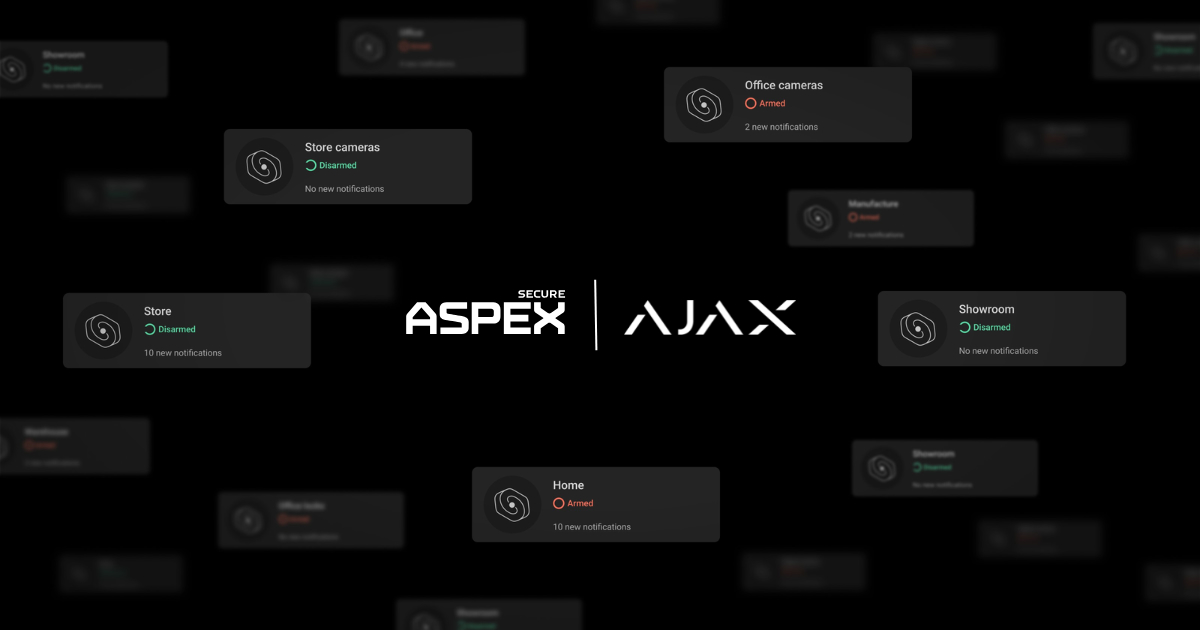
The Ajax Security System app supports managing multiple spaces from one account. An Ajax space can represent a separate business location, allowing an authorized user to switch between sites, check available system status and events, manage supported security functions, and access video or automation features included in that space.
This creates centralized visibility, but it does not mean every setting is automatically copied across all locations. Each space should be configured and tested for its own property.
User Rights and Video Privacy
Ajax documents different account types and permissions, along with separate privacy controls for video devices. In practice, a company should decide which locations and functions an owner, operations manager, site manager, employee, or security professional actually needs.
Permissions should be reviewed whenever someone changes roles. Access to alarm settings does not automatically mean that person should also see every camera or every location.
Multi-site businesses should also avoid shared administrator logins. Each authorized manager should use an individual account, a unique password, and two-factor authentication so access can be reviewed or removed without affecting other users.
User Apps and Professional Tools Serve Different Roles
Business owners and authorized employees can use the Ajax Security System app or Ajax Desktop to manage the functions available to their accounts. Installers, security companies, and monitoring personnel may use Ajax PRO and PRO Desktop for professional configuration, diagnostics, maintenance, or monitoring workflows when the appropriate access has been granted. Keeping these roles separate helps a business retain everyday control without giving every employee system-level configuration rights.
Video From Different Locations
For compatible video configurations, Ajax’s video wall for multiple spaces can bring available camera streams from different sites into one desktop view. This may help an authorized owner or security manager monitor priority entrances, customer areas, loading zones, or other selected views without opening each location separately.
Video availability depends on the cameras, recording setup, app version, and user permissions. A video wall also does not replace alarm detection or a defined response process.
Groups and Schedules Within Each Site
Ajax Group mode can divide one location into independently controlled areas, such as a sales floor, stockroom, office, or warehouse section. Scheduled arming, disarming, and automation can support recurring routines. These features should be configured at the site level because operating hours and authorized activity differ between locations.
Ajax has also documented deployments across business chains, but a large rollout is an example of platform scalability—not a template that should be copied without a property assessment. ASPEX Secure can determine which Ajax hubs, devices, video components, communication paths, and monitoring options are appropriate for each planned location within the confirmed service scope.
Should Every Business Location Use the Same Equipment?
No. A business may benefit from using one professional platform, common naming standards, and a consistent management process, but the device list should follow each property’s risks.
A small office may primarily need protected entrances and after-hours detection. A retail store may add storefront, stockroom, and transaction-area coverage. A warehouse may require loading-door protection, larger-area detection, exterior video, and stronger communication planning. The guide to small business security systems in Houston explains how alarms, cameras, access control, and monitoring serve different jobs.
What Should Be Standardized Before Adding Another Location?
Before the next site goes live, document a repeatable multi-site security checklist:
- Use a consistent location, room, and device naming convention.
- Define who can view, arm, disarm, configure, or receive alerts for each site.
- Create a process for adding, changing, and removing employee access.
- Record primary and backup keyholders for every address.
- Confirm site-specific alarm instructions, permits, and operating schedules.
- Test internet, cellular backup where supported, and outage behavior at each property.
- Set a schedule for inspections, alarm tests, battery review, and user audits.
Standardization should make the system easier to operate and maintain. It should not replace professional design or local testing.
Do Multi-Site Businesses Need Professional Alarm Monitoring?
Professional monitoring can be especially useful when an owner cannot personally handle alerts from every location, but the service scope must be defined. Each site should have its own address, zones, keyholders, schedules, escalation instructions, and permit information. Monitoring does not guarantee dispatch or a particular response time; operators follow the configured plan, service agreement, available verification data, and applicable local procedures.
ASPEX Secure can help businesses compare app-based management with professional alarm monitoring and determine how supported events should be handled after hours.
How Much Does a Multi-Site Business Security System Cost?
Multi-site business security system cost depends on the number and type of properties, protected entrances and areas, camera coverage, recording needs, user and access requirements, communication setup, installation complexity, monitoring scope, and existing equipment. Two similar-sized locations may require different budgets because their layouts and operating risks are different.
Ask for an itemized, location-by-location proposal. It should separate equipment, installation, video storage, monitoring, permits, maintenance, and future expansion instead of hiding every site inside one package total.
Plan Multi-Site Security Around the Business
The right multi-site system centralizes visibility without assuming every location is the same. Owners gain a clearer operating picture, site managers receive appropriate access, and every property retains the devices, schedules, communication paths, and response instructions it actually needs.
ASPEX Secure is an Ajax Systems Authorized Partner that designs, installs, supports, and monitors professional security systems for businesses in Houston and surrounding areas. Request a commercial security assessment to plan an existing group of locations or prepare the security standard for your next site.